
Log In to Your BC.Game: A Step-by-Step Guide
Logging in to your BC.Game account is the first step to enjoying a seamless gaming experience on one of the most popular online gaming platforms. Whether you’re a seasoned player or a newcomer, understanding the login process is crucial. In this guide, we will walk you through the necessary steps to log in, the features available once logged in, and how to resolve common login issues. Don’t forget to check the official Log In to Your BC.Game Account BC.Game sign in page for direct access to your account.
Why Choose BC.Game?
BC.Game is not just another online casino; it’s an innovative platform designed to offer players a unique gaming experience. With a wide variety of games, including slots, live dealer games, and original cryptocurrency games, BC.Game ensures that there’s something for everyone. The platform supports multiple cryptocurrencies, making it easy to deposit and withdraw funds. Additionally, the user-friendly interface, exciting promotions, and a vibrant community of players make BC.Game a favorite among gaming enthusiasts. To get started, you’ll need to create an account and log in.
Creating Your BC.Game Account
Before you can log in, you need a BC.Game account. The sign-up process is straightforward. Follow these steps:
- Visit the BC.Game homepage.
- Click the ‘Sign Up’ button, usually located at the top right corner of the page.
- Fill in the required information, including your email address and password.
- Agree to the terms and conditions, then verify you are not a robot.
- Confirm your registration via the email sent to your inbox.
Once your account is created, you’re ready to log in.
Logging In to Your BC.Game Account
Now that you have your account set up, logging in is a breeze. Just follow these simple steps:
- Navigate to the BC.Game login page.
- Enter the email address associated with your account.
- Input your password.
- Click the ‘Log In’ button.
If you have set up your account correctly, you should be directed to your dashboard, where you can select games and view your account balance.
Exploring Your Account Dashboard
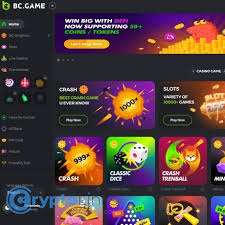
Upon logging in, you will be greeted by your account dashboard. Here are some of the features you can explore:
- Your Balance: View your total balance across different cryptocurrencies.
- Your Games: Access all the games you can play directly from your dashboard.
- Promotions: Stay updated with the latest offers and bonuses available to you.
- Transaction History: Keep track of your deposits, withdrawals, and bets.
- Profile Settings: Adjust your account settings, including security features like two-factor authentication.
Familiarizing yourself with these features can enhance your gaming experience significantly.
Troubleshooting Common Login Issues
Even with a smooth interface, you might encounter login issues from time to time. Here are some common problems and how to solve them:
Forgotten Password
If you forget your password, don’t worry. Click on the ‘Forgot Password?’ link on the login page. You will receive an email with instructions to reset your password. Follow the link in the email to set a new password.
Account Lockout
If you input your password incorrectly several times, your account may be temporarily locked for security reasons. Wait for at least 15 minutes before trying again, or contact customer support for assistance.
Account Not Verified
If you can’t log in because your account hasn’t been verified, check your email for a verification link from BC.Game. Make sure to complete your account verification before trying to log in again.
Security Tips for Your BC.Game Account
Keeping your account secure is essential for enjoying a safe gaming experience. Here are some tips to ensure your account remains protected:
- Use a Strong Password: Make sure your password is complex and includes a mix of letters, numbers, and special characters.
- Enable Two-Factor Authentication: This adds an extra layer of security, requiring a verification code sent to your mobile device.
- Be Wary of Phishing Scams: Always ensure you are logging in through the official BC.Game website and not a third-party site.
- Keep Your Software Updated: Regularly update your browser and devices to protect against vulnerabilities.
Conclusion
Logging in to your BC.Game account is the gateway to an exciting world of online gaming. By following the simple steps outlined in this guide, you can gain quick access to your favorite games and exciting promotions. Remember to maintain good security practices to ensure your account remains safe. Enjoy your gaming experience at BC.Game!